Your terminal
as anything.
A real shell in a native macOS app. Pick a skin, define the terminal square — that's it.
macOS 14+ · free to download & try · never a subscription

Any image in. A terminal out.
A gadget, a character, a frame — anything with a live shell behind the screen. The built-in Skin Builder does the heavy lifting: magic-wand the background away, draw the terminal window right on the art, pick a palette — and it loads live. No restart, no compiler.
01 pick a skin → 02 draw the terminal square → 03 launch. That's the whole setup.
Want more? Browse skins made by the community →
Switch back anytime.
Skins are a mood, not a commitment. Tap ⌘M and the chassis drops away for a clean, standard terminal — same session, same scrollback. Tap it again when the mood returns.
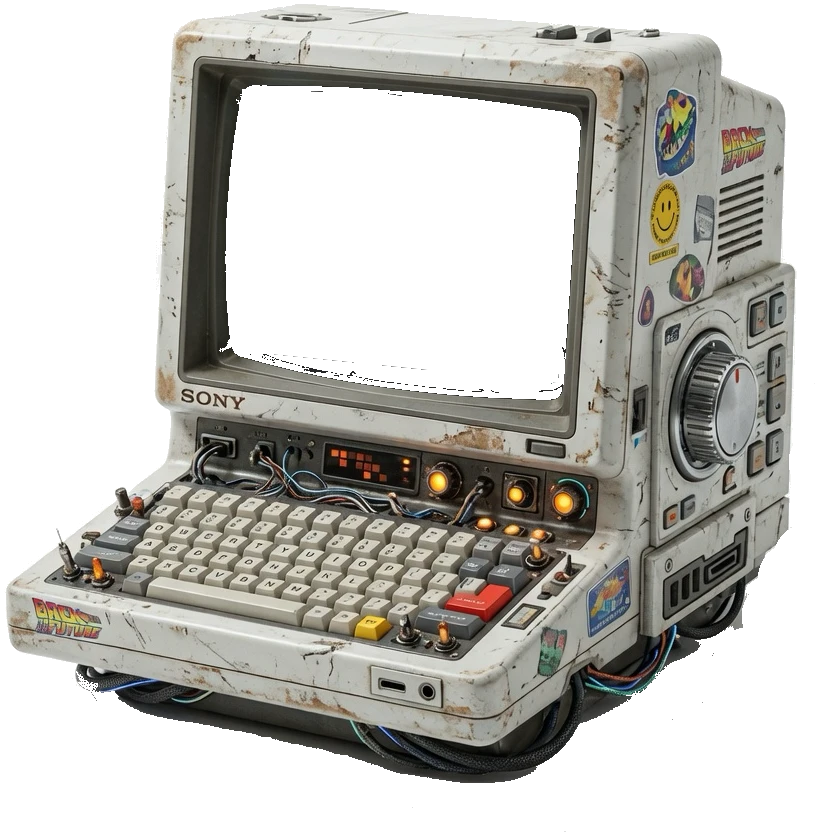
⌘M skin off, skin on — same session, scrollback intact.
Explore the skins
A living gallery, made by the community. Browse all →
Questions
Is it a real terminal, or a toy? +
A real one. SwiftTerm under the hood: a real PTY with full VT emulation, scrollback, xterm mouse, true color, and multi-session. The skin is just what it wears to work.
Which Macs does it run on? +
macOS 14 (Sonoma) and up, on both Apple Silicon (M-series) and Intel Macs — the download is a universal binary, so the same file runs natively on either. Terminal Candy is an opinionated, fully native Mac app — there is no Windows or Linux build.
How do skins work? +
One click and it's on — pick a skin and the terminal wears it live, no restart, no setup. Browse the whole community gallery and install any of them straight into the app.
Can I make my own skin? +
Yes — the built-in Skin Builder turns any image into a terminal. Magic-wand the background away, draw where the screen goes, pick a palette, and it loads live. No restart, no compiler.
Can I summon it from anywhere? +
A global ⌥Space hotkey drops the terminal in over any app — no Accessibility permission required.
Do I have to pay before I can try it? +
No — download the DMG and the first 14 days are a full, free trial (up to 5 skin slots). When the trial ends, a one-time $10 license keeps Terminal Candy running and unlocks unlimited skins and community membership. Paste the key once; it arrives by email.
Can I get a refund? +
You get to run everything before you pay a cent. But if you buy a license and it genuinely doesn't work on your Mac, email us and we'll sort it out.