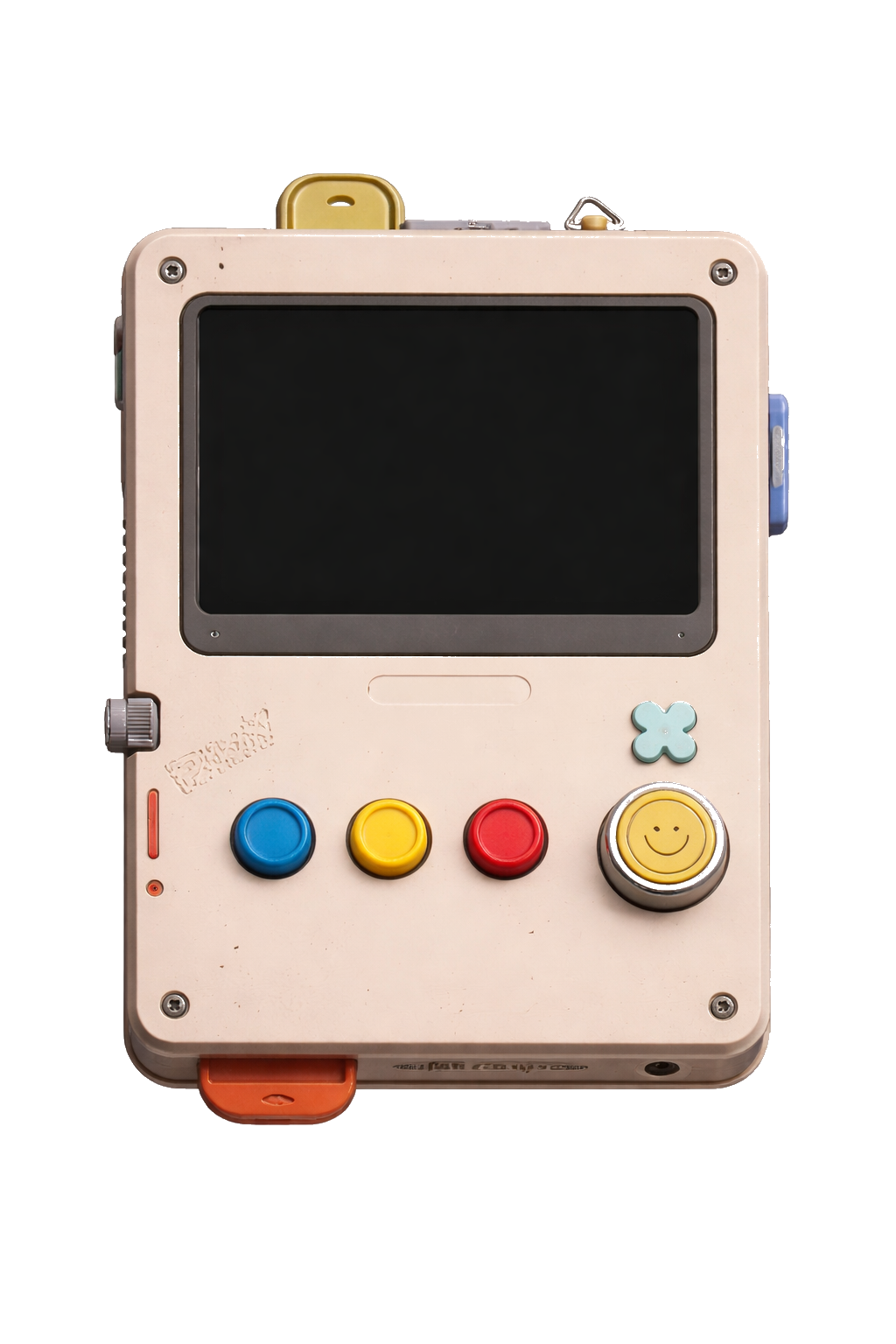
Retro PC
Handheld · green phosphor
Cream-plastic handheld. Green-on-black phosphor CRT, soft scanlines, and a little sage smiley button.
Native macOS · SwiftTerm
A real shell in a native macOS app. Pick a skin, define the terminal square — that's it.
Pip-Boy, Game Boy, cassette deck, Teletype — the shell you always wished macOS came with.
macOS 14+ · free to download · a $10 license unlocks the shell · signed & notarized
Everything a daily-driver shell needs, wrapped in a gadget you actually want to look at.
SwiftTerm under the hood: full VT emulation, scrollback, xterm mouse, true color. A real shell you actually work in, not a toy.
The built-in Skin Builder turns any device PNG into a terminal — draw where the screen goes, magic-wand the background, drop it in, and it loads live. No restart.
Solarized, Dracula, Nord, Gruvbox, Game Boy DMG, C64, Synthwave '84, Vaporwave. Swap the whole look instantly.
Scanlines, phosphor glow, screen curvature, color grade — rendered on the GPU, not faked with a PNG overlay.
A global ⌥Space hotkey drops the terminal in over any app — no Accessibility permission required.
Skins are just folders. Drop one into Application Support and it loads live — no registry, no restart, no compile.
Each skin is a real device chassis, with a live shell behind the screen.
Handheld · green phosphor
Cream-plastic handheld. Green-on-black phosphor CRT, soft scanlines, and a little sage smiley button.
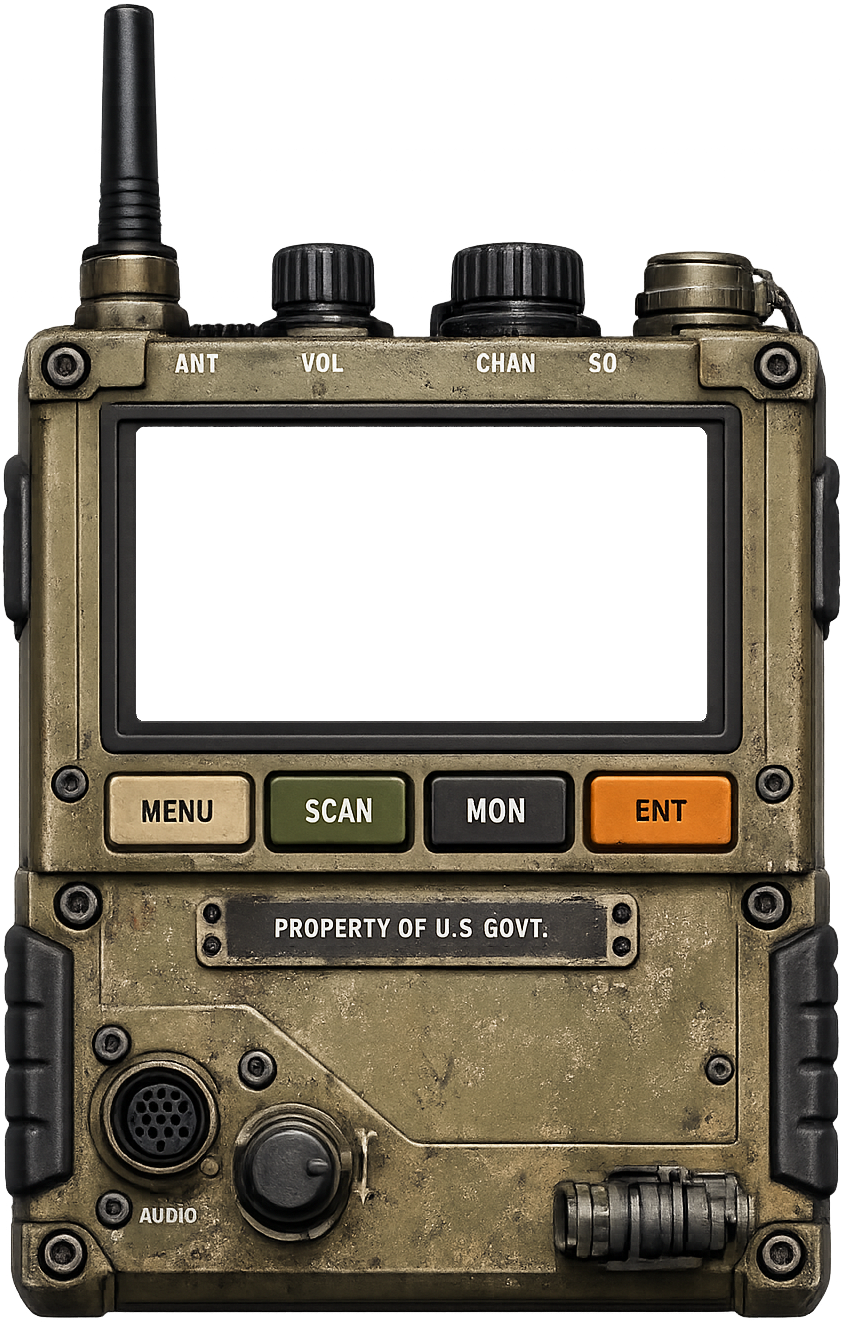
Field radio · amber
Military field radio. Olive-drab chassis, knurled VOL/CHAN knobs, amber-phosphor screen, hard tactile keys.
terminal-candy $ play ▶ side A — loading… █
Boombox · amber · in the works
80s cassette-deck energy — chrome accents, a tape bay, and a warm amber CRT. Landing in an update.
Want more? Browse skins made by the community →
01
Choose a device chassis — or build your own in the Skin Builder.
02
Tell Terminal Candy where the screen lives on the skin.
03
Open Terminal Candy and your shell boots inside the gadget — skin, screen, real terminal. That is the whole UI.
Free to download
macOS 14+ · Apple Silicon (Intel build coming)
macOS 14 (Sonoma) and up, on Apple Silicon (M-series) Macs. An Intel build is in the works. Terminal Candy is an opinionated, fully native Mac app — there is no Windows or Linux build.
No. Terminal Candy is free to download and try. Unlocking the full shell is a one-time $10 license — lifetime, free updates, no account required to keep using it.
No web shell, no Chromium. Pure SwiftTerm + AppKit, so it launches instantly and sips memory.
A skin is a folder — one PNG and one JSON file. Drop it into Application Support and it loads live. Anyone can build one; no compiler required. A companion Skin Builder ships in the box.
No. Download the signed, notarized DMG for free and start using Terminal Candy right away. When you are ready to unlock the full shell, buy a $10 license and paste the key once — that is it. Your key arrives by email.